Property Underwriting
What does this mean?
Underwriters assess risks faster with consistent summaries, reduce manual document review, and issue quotes more quickly and accurately.
How it works?
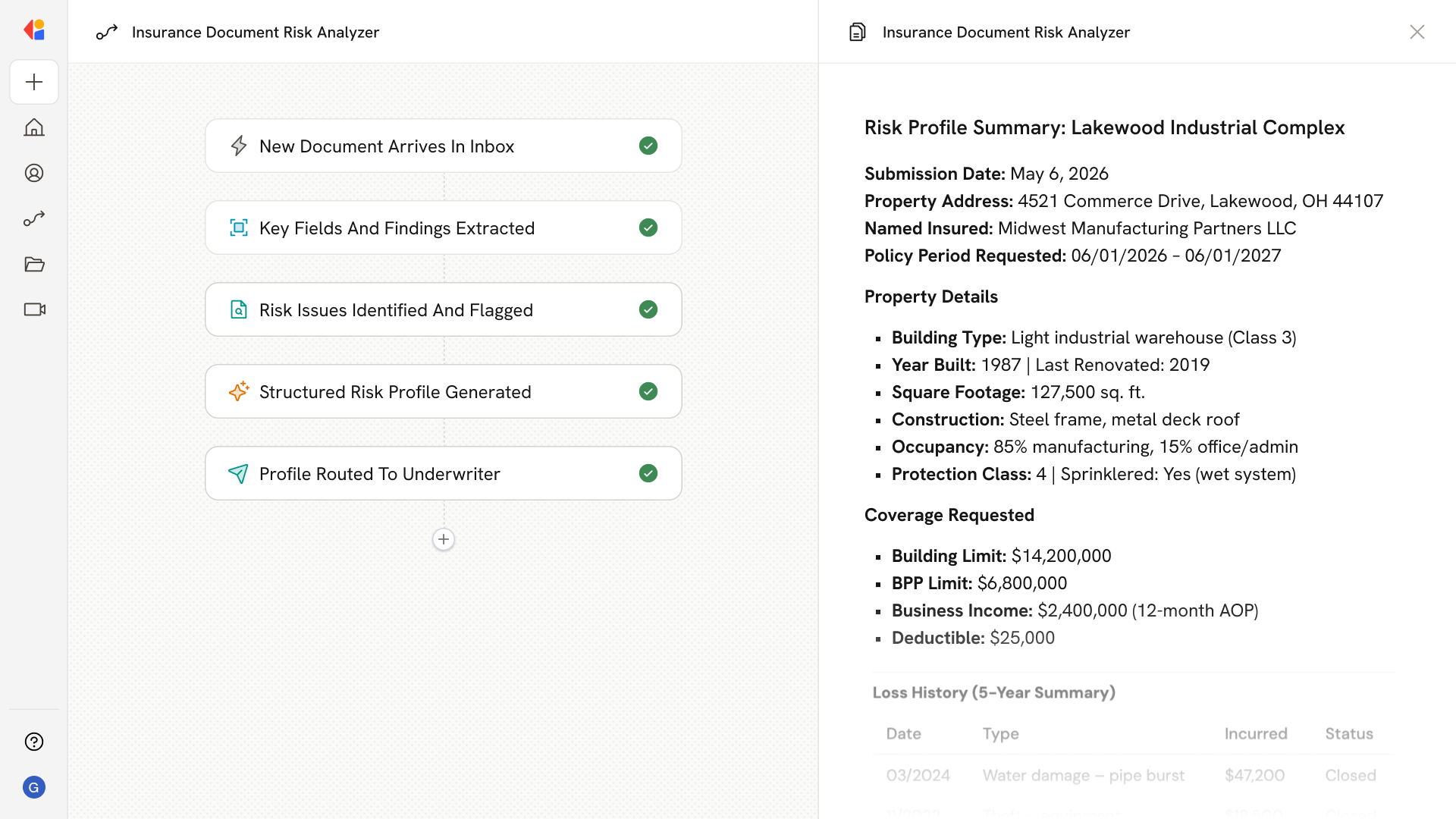
Ingests inspection reports, loss runs, and ACORD forms from email or file systems, extracts key fields and findings, and outputs a structured risk profile with flagged issues for underwriter review and quoting.
Workflow steps
Step 1: Trigger on new document arrival
The Workflow activates when an inspection report, loss run, or ACORD form lands in a designated inbox or file system—via Gmail trigger, Outlook trigger, or SharePoint trigger.
Step 2: Extract key fields and findings
Cassidy uses Generate Text with Cassidy Assistant to parse each document, pulling out critical data points: property details, coverage limits, prior claims history, inspection findings, and policy terms.
Step 3: Identify and flag risk issues
The Workflow analyzes extracted data to surface potential concerns—coverage gaps, adverse loss patterns, inspection deficiencies, or missing documentation—and flags them for underwriter attention.
Step 4: Build structured risk profile
Cassidy uses Combine Text to consolidate all extracted fields and flagged issues into a standardized risk summary, ensuring every submission follows the same format for consistent evaluation.
Step 5: Route for underwriter review
The completed risk profile is delivered to the underwriter via Send Email or posted to a team channel, ready for review, quoting decisions, and any follow-up questions.
Implement it inside your company
- Hands-on onboarding and support
- Self-paced training for your team
- Dedicated implementation experts
- Ongoing use case discovery
- ROI tracking & analytics dashboards
- Proven playbooks to get started fast