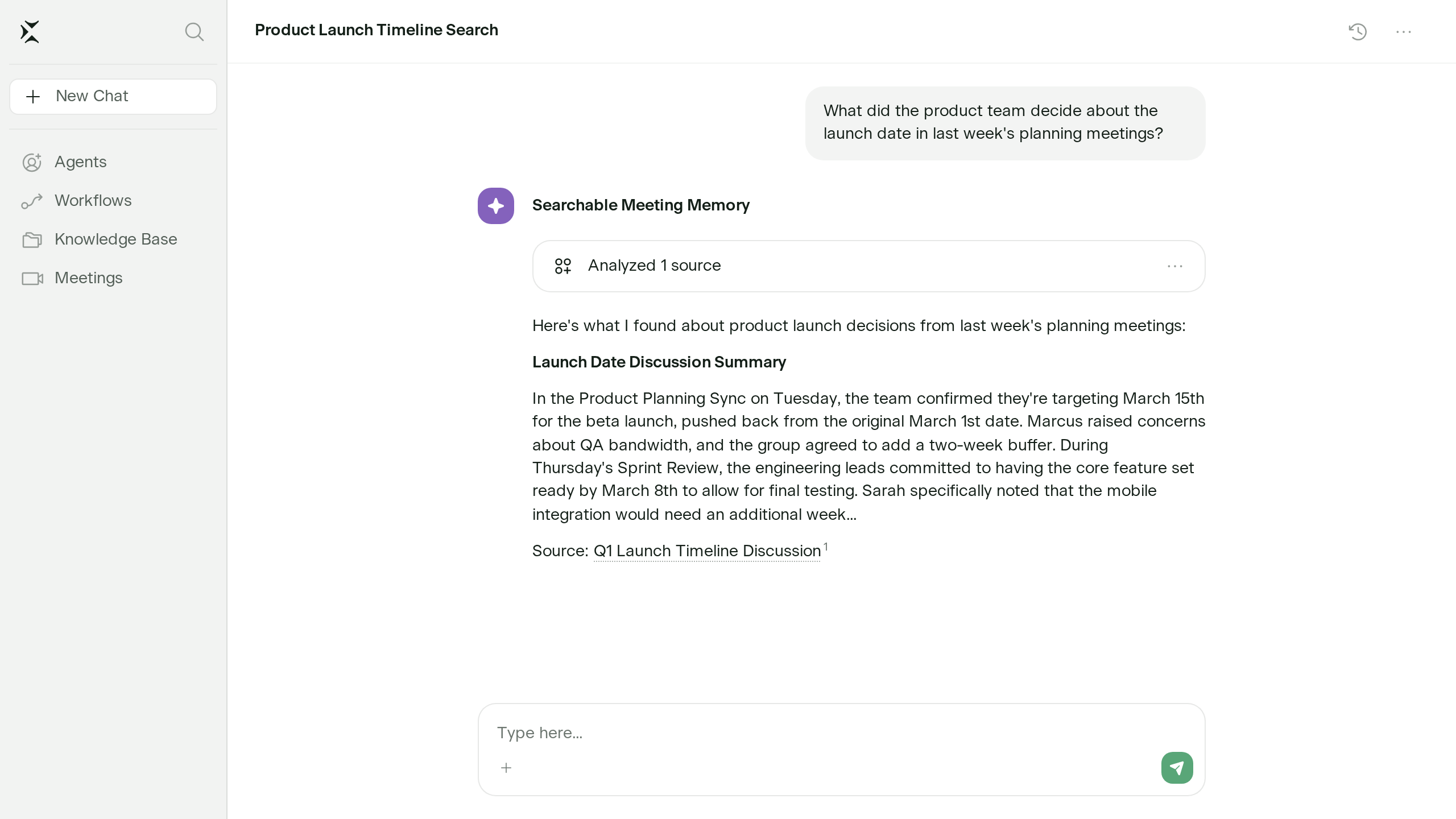
How does it work?
Searchable Meeting Memory helps you find specific moments, decisions, and details buried in hours of recorded conversations. Ask questions like:
- What did the engineering team commit to in last Thursday's sprint planning?
- When did we discuss the Q2 budget changes, and what was decided?
- Find every mention of the product launch timeline across this month's leadership meetings.
- What concerns did the client raise about implementation in our last three calls?
- Who was assigned to follow up on the vendor contract?
- Summarize the key decisions from the all-hands meeting on Monday.
- What did Sarah say about the hiring timeline in the ops sync?
The Agent searches transcripts, summaries, and recordings to give you precise answers—down to the timestamp—so you're not scrubbing through hours of video to find one comment.
Who uses Searchable Meeting Memory?
Searchable Meeting Memory is built for anyone who needs to revisit what was said, decided, or assigned in past conversations:
- Operations and Project Managers tracking action items and decisions across multiple workstreams
- Sales and Customer Success teams reviewing client calls for commitments, objections, or next steps
- Leadership catching up on meetings they missed or preparing for follow-ups
- Cross-functional teams aligning on what was discussed without scheduling another meeting to recap
It's especially valuable for organizations with high meeting volume—where important details get buried and institutional knowledge walks out the door when someone forgets to take notes.
How does Searchable Meeting Memory use your Knowledge Base?
Searchable Meeting Memory searches across your connected meeting sources—including Gong call recordings, Zoom transcripts, Google Meet summaries, and notes stored in Confluence, Notion, or Google Drive—to surface exactly what you need from past conversations.
When you ask a question, the Agent:
- Searches transcripts and recordings for specific topics, keywords, or speakers
- Locates relevant timestamps so you can jump directly to the moment in a recording
- Pulls context from meeting summaries and follow-up notes
- Cross-references multiple calls to identify patterns or recurring themes
Because your Knowledge Base syncs continuously with your meeting tools, you're always searching the latest transcripts—not last week's uploads.
Implement this automation inside your company
- Hands-on onboarding and support
- Self-paced training for your team
- Dedicated implementation experts
- Ongoing use case discovery
- ROI tracking & analytics dashboards
- Proven playbooks to get started fast