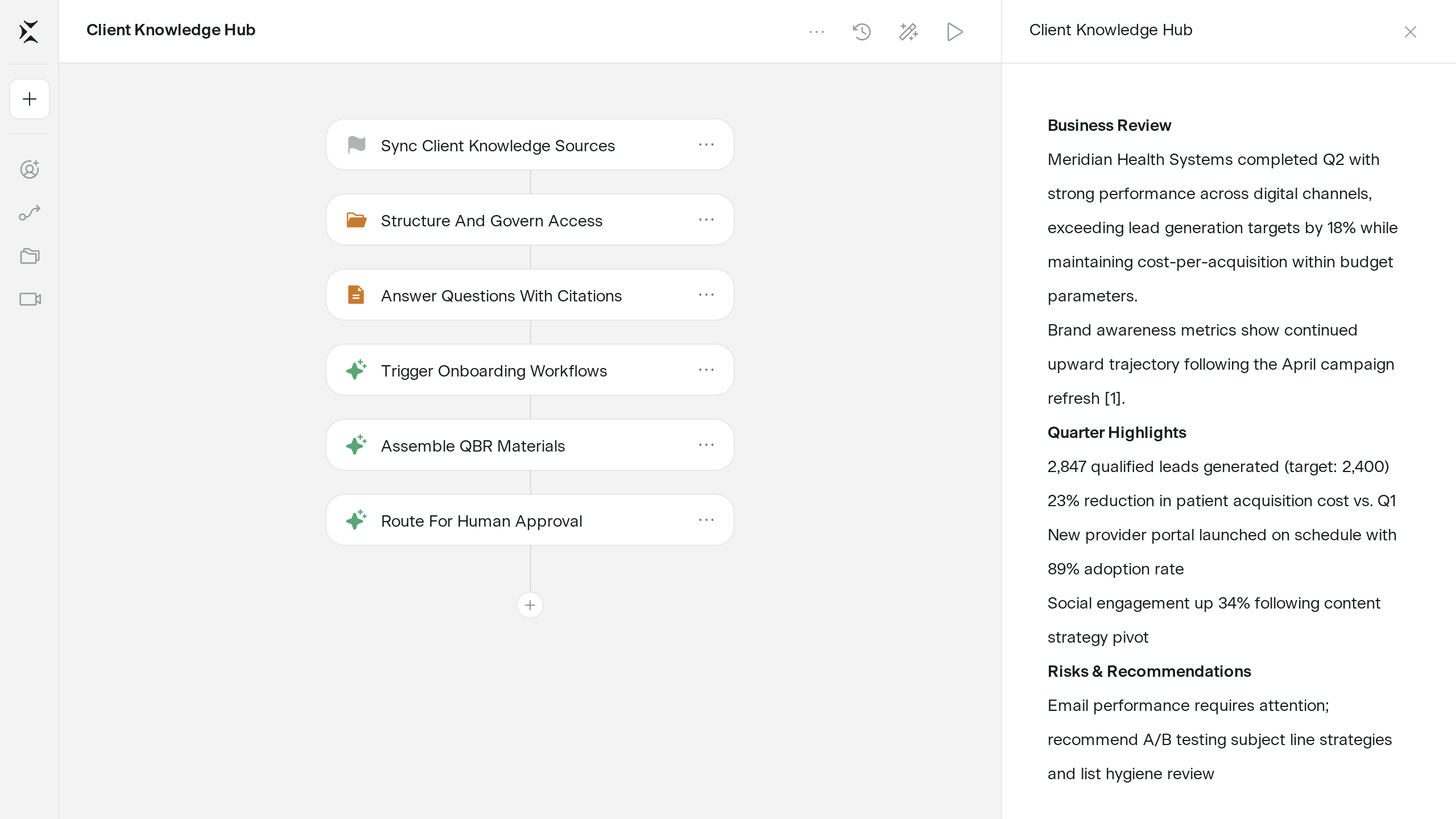
How Cassidy automates client knowledge management using AI
Step 1: Sync client knowledge sources
Cassidy connects to your existing tools—Google Drive, SharePoint, Slack, CRM notes, ad platforms, and analytics exports—and continuously syncs contracts, briefs, SOPs, brand guidelines, and campaign data into the Knowledge Base.
Step 2: Structure and govern the knowledge layer
The Knowledge Base applies metadata tagging, client-workspace segregation, and role-based access controls. Documents are indexed with hybrid search so retrieval respects permissions and surfaces the most relevant, up-to-date information.
Step 3: Answer questions with cited, grounded responses
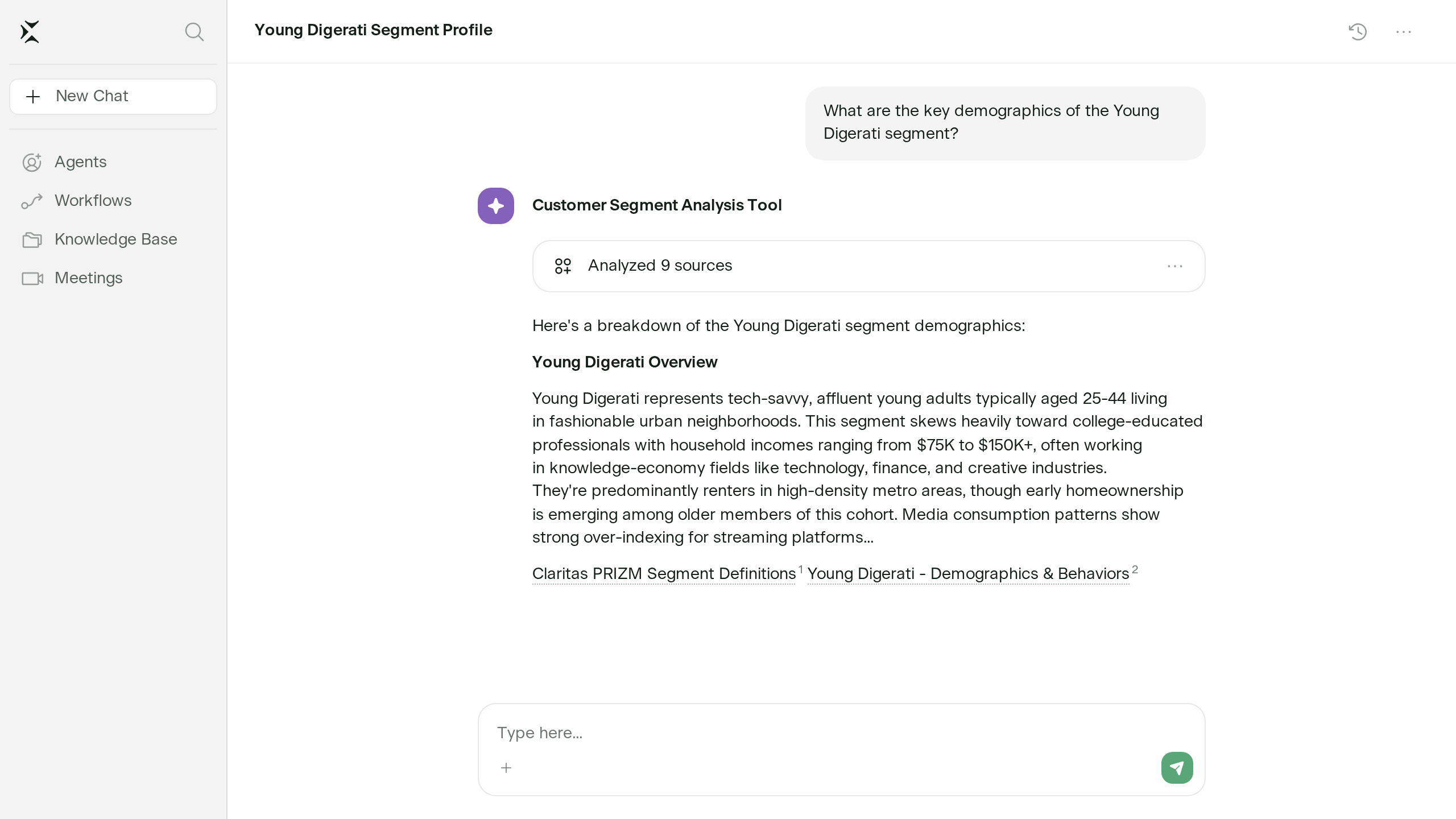
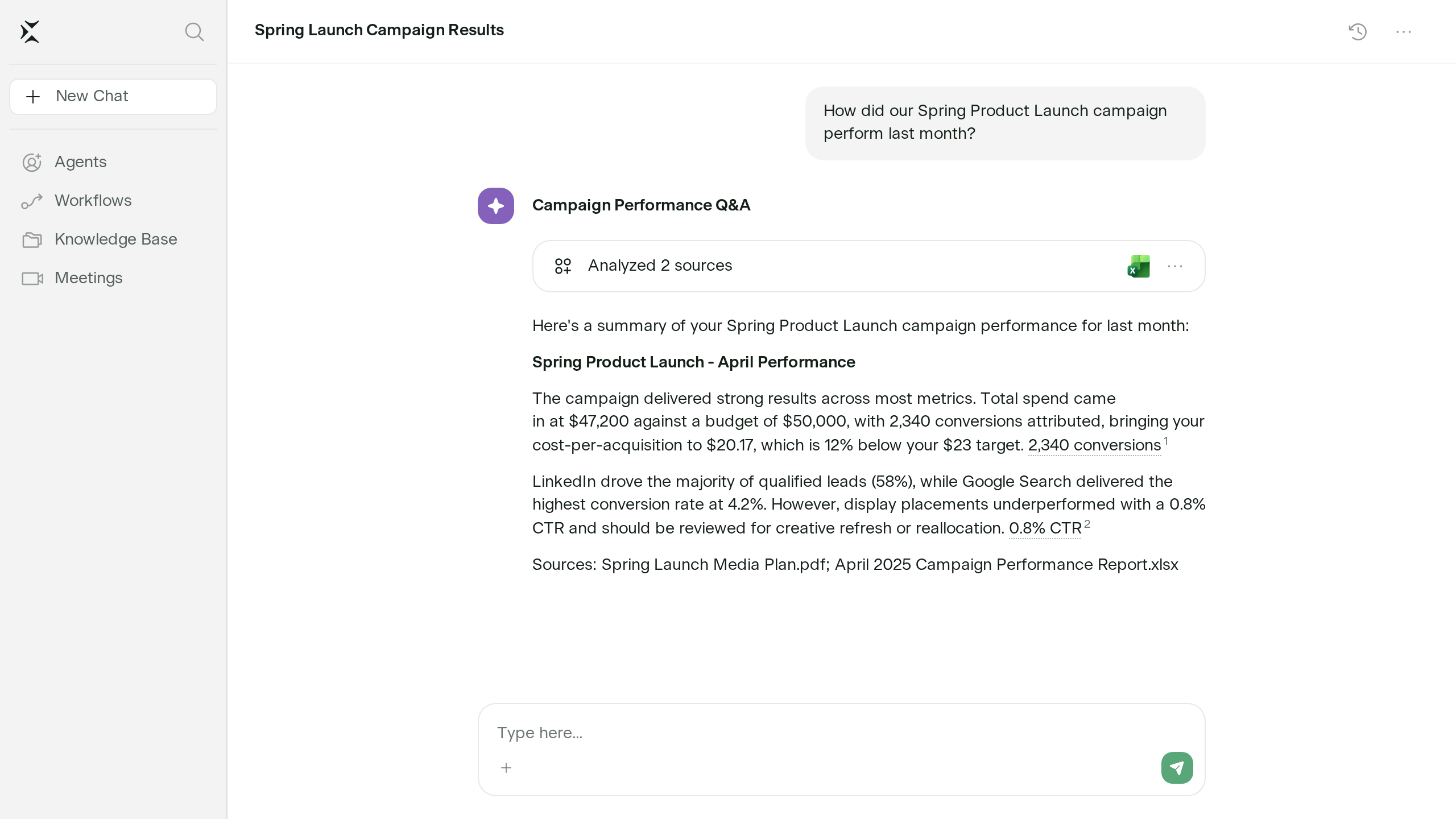
When team members ask questions—about scope, brand voice, approval paths, or campaign performance—Cassidy's Agents retrieve relevant passages and generate answers with inline citations, so users can verify sources instantly.
Step 4: Trigger onboarding and SOP Workflows
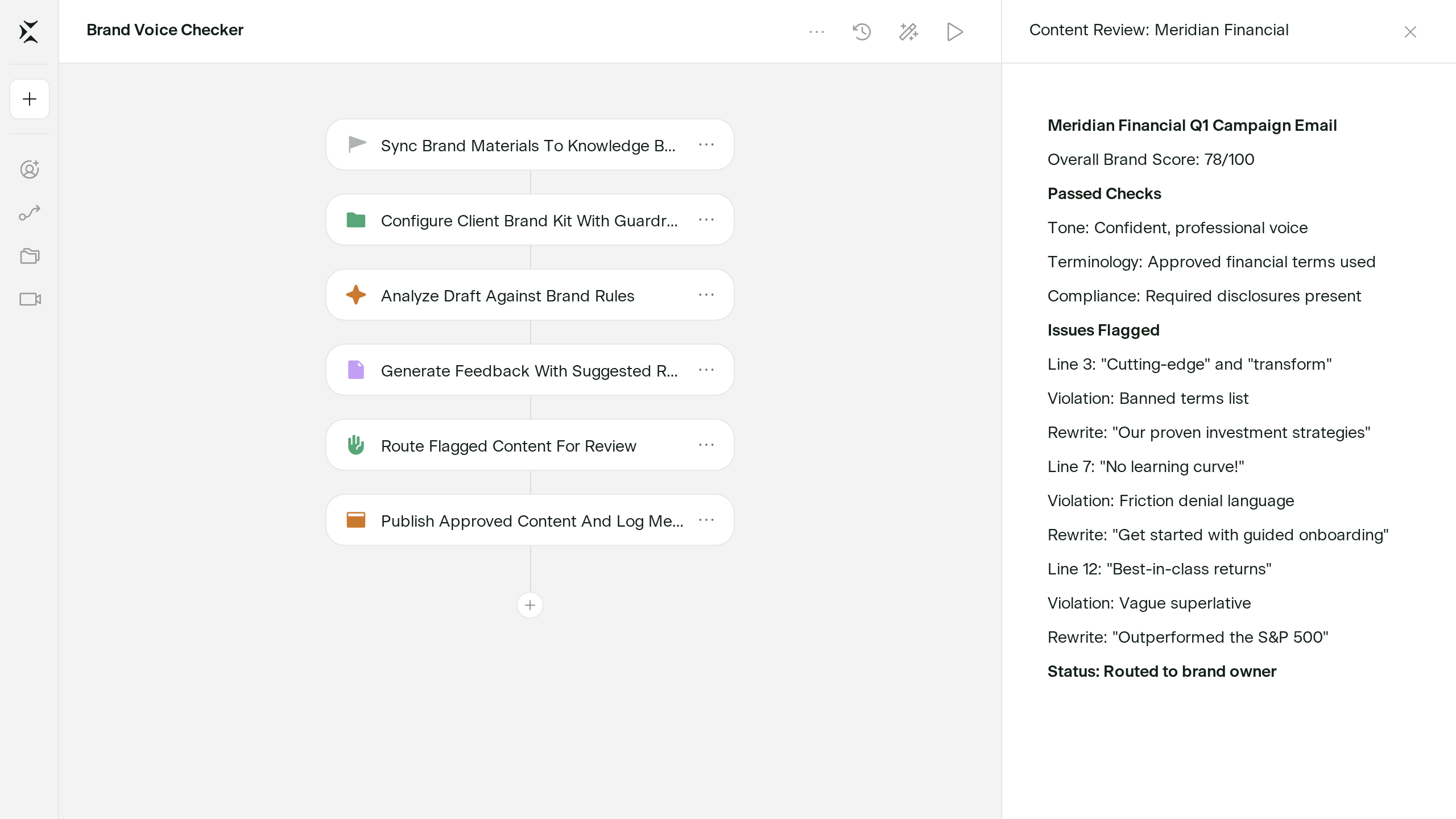
Workflows activate on events like a new client kickoff or campaign launch. Cassidy auto-generates intake checklists, populates briefing docs, provisions access requests, and routes approvals—following your codified playbooks with built-in QA gates.
Step 5: Assemble QBR and executive materials
Before quarterly reviews, a Workflow pulls quarter-to-date KPIs, compares outcomes against the success plan, drafts an executive summary with wins, risks, and next-quarter recommendations, and compiles everything into a presentation-ready format.
Step 6: Human-in-the-Loop review and delivery
Cassidy routes generated materials for human approval before distribution. Once approved, recaps and action items sync back to your CRM and project management tools—keeping the client record current and the team aligned.
Implement this automation inside your company
- Hands-on onboarding and support
- Self-paced training for your team
- Dedicated implementation experts
- Ongoing use case discovery
- ROI tracking & analytics dashboards
- Proven playbooks to get started fast