Employee Benefits Guide Generator
What does this mean?
HR delivers consistent, accurate benefits materials faster, reducing manual formatting and ensuring employees get clear plan information.
How it works?
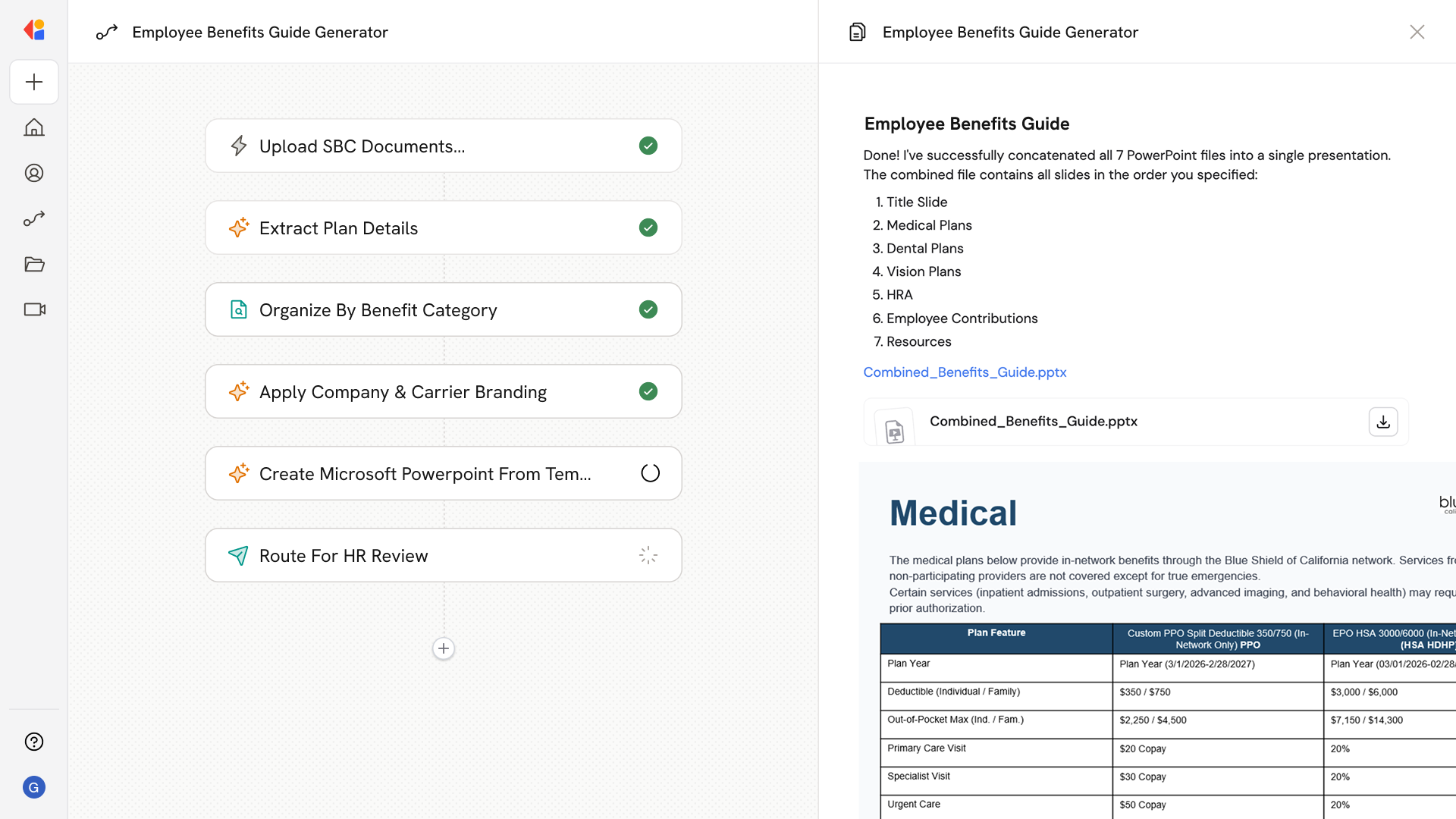
Pulls Summary of Benefits and Coverage documents, extracts medical, dental, vision, and HRA details, applies company and carrier branding, and generates a polished benefits presentation.
Workflow steps
Step 1: Upload SBC documents
The Workflow begins with a manual trigger where HR uploads Summary of Benefits and Coverage (SBC) documents for medical, dental, vision, and HRA plans.
Step 2: Extract plan details
Cassidy uses Generate Text with Cassidy Assistant to parse each SBC document, pulling out key coverage information, deductibles, copays, out-of-pocket maximums, and plan-specific details.
Step 3: Organize by benefit category
The Workflow uses a Loop action to process each plan type—medical, dental, vision, and HRA—structuring the extracted information into consistent, easy-to-read sections.
Step 4: Apply company and carrier branding
Cassidy pulls branding guidelines from the Knowledge Base and formats the content with company logos, colors, and carrier-specific design elements for a polished, professional look.
Step 5: Generate benefits presentation
Using the Combine Text action, the Workflow assembles all plan details and branding into a unified benefits guide, then exports it as a Microsoft Word document ready for distribution.
Step 6: Route for HR review
The completed guide is sent via Request Input from Team, allowing HR to review the presentation for accuracy before sharing with employees.
Implement it inside your company
- Hands-on onboarding and support
- Self-paced training for your team
- Dedicated implementation experts
- Ongoing use case discovery
- ROI tracking & analytics dashboards
- Proven playbooks to get started fast