






AI meeting notes that turn into action

Cassidy joins your meetings, transcribes and summarizes in real time—so Agents and Workflows can reference what was said, who said it, and what to do next. Conversations become automated follow-ups, CRM updates, and searchable knowledge across your org.
Book Demo
Trusted by 20,000+ teams worldwide

Cassidy turns your meetings into searchable knowledge and automated next steps without manual work

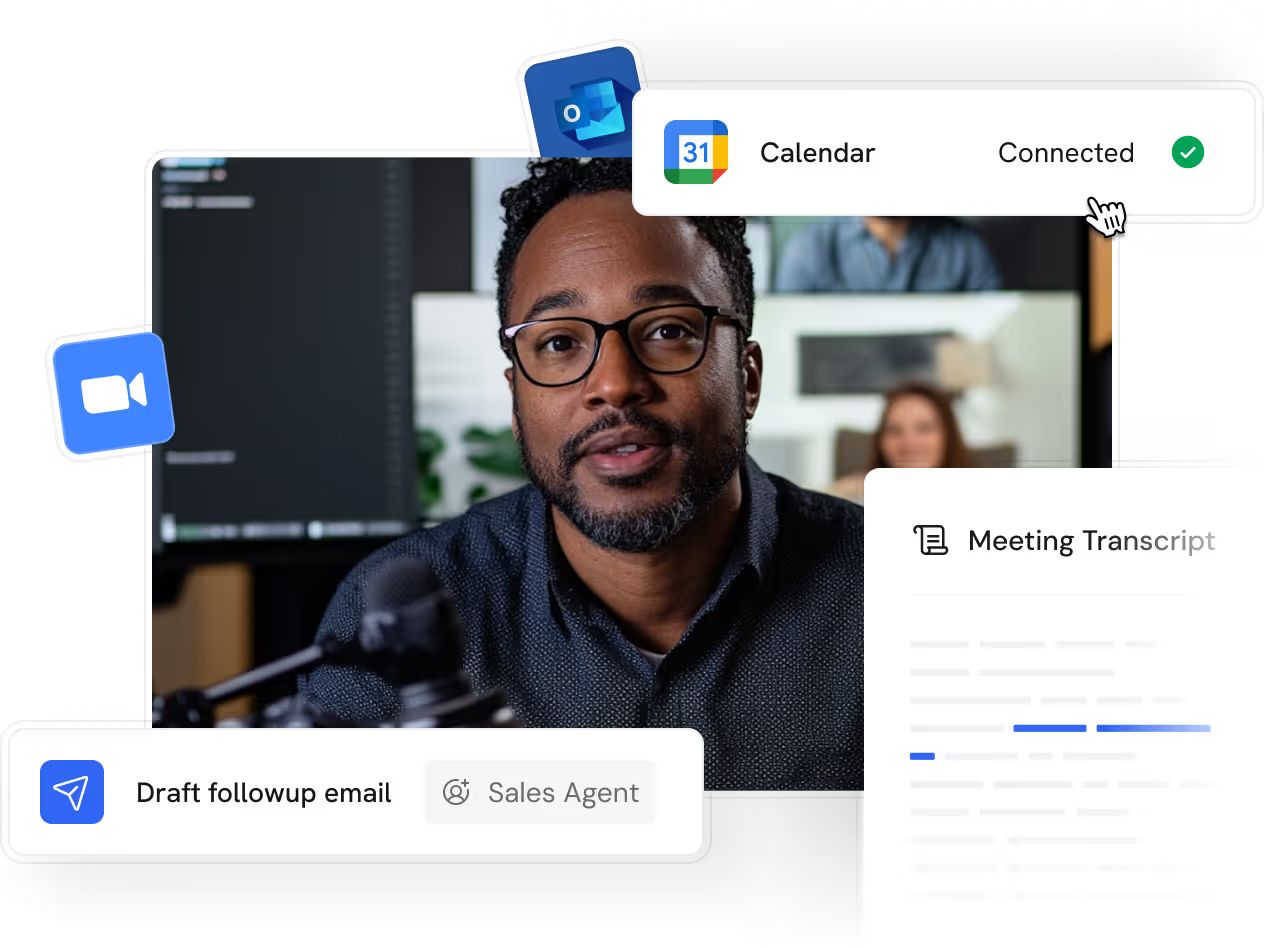
Sync your calendar and Cassidy joins, records, and transcribes in real time. Search meeting content with any Agent, or trigger Workflows when calls end to automate CRM updates and follow-ups.
Step 1
Connect your calendar
Link Google Calendar or Microsoft Outlook.
Set auto-join rules or add Cassidy manually.
Step 2
Record, transcribe, summarize
Real-time transcription with speaker labels.
Summaries and action items ready when the call ends.
Step 3
Automate what happens next
Ask Agents questions about any past meeting.
Trigger Workflows after meetings wrap up.
Graphic product visualization of Cassidy Meetings, a product feature that allows users to record & store all video calls information in one place.

Every conversation, remembered

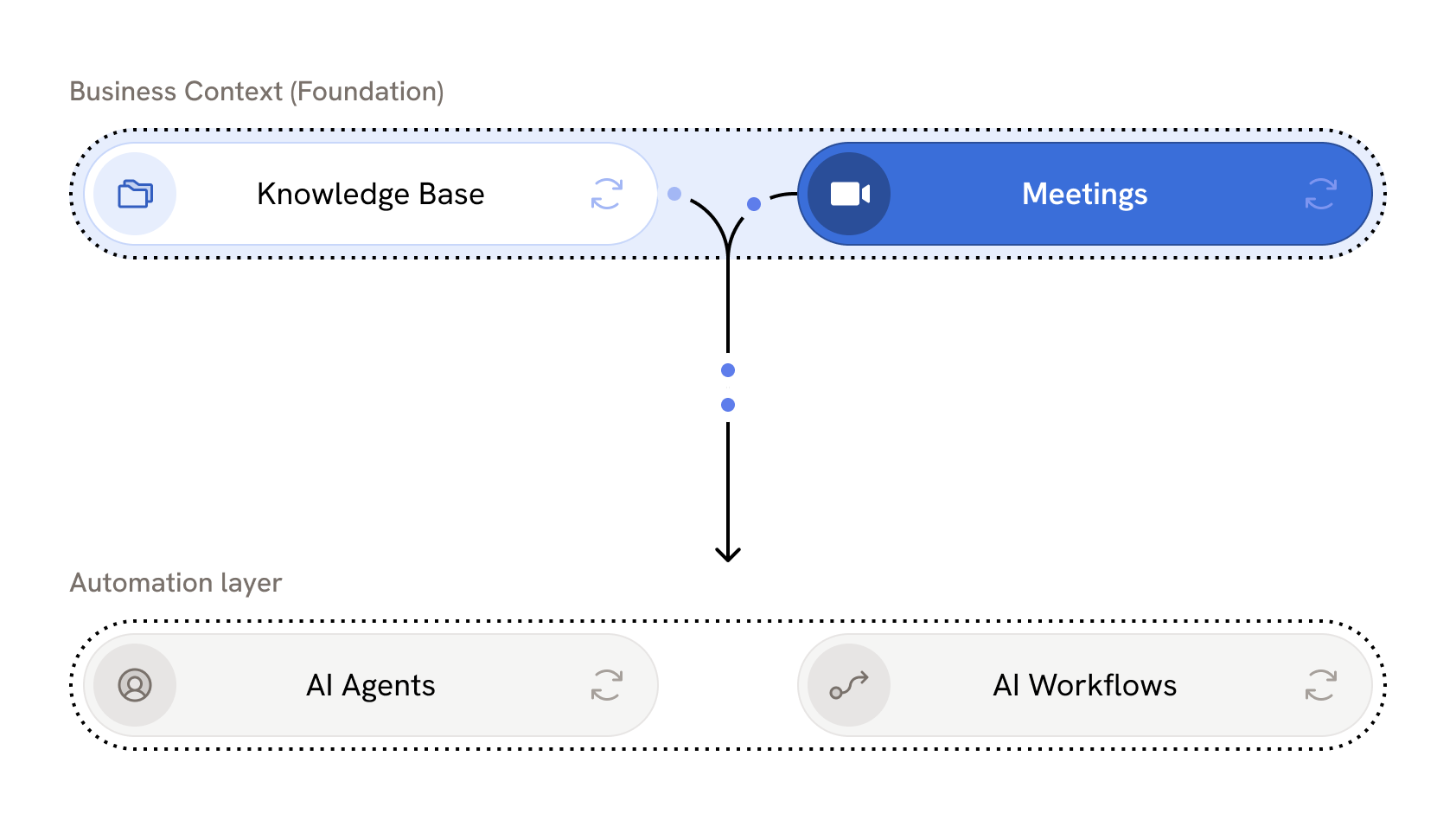
Every call flows directly into your Knowledge Base—searchable, cited, and ready for your team. Ask any Agent about past meetings and get answers grounded in what was actually said. Turn sales, product, and customer success conversations into long-term context your whole org can use.

An intelligent meeting pipeline

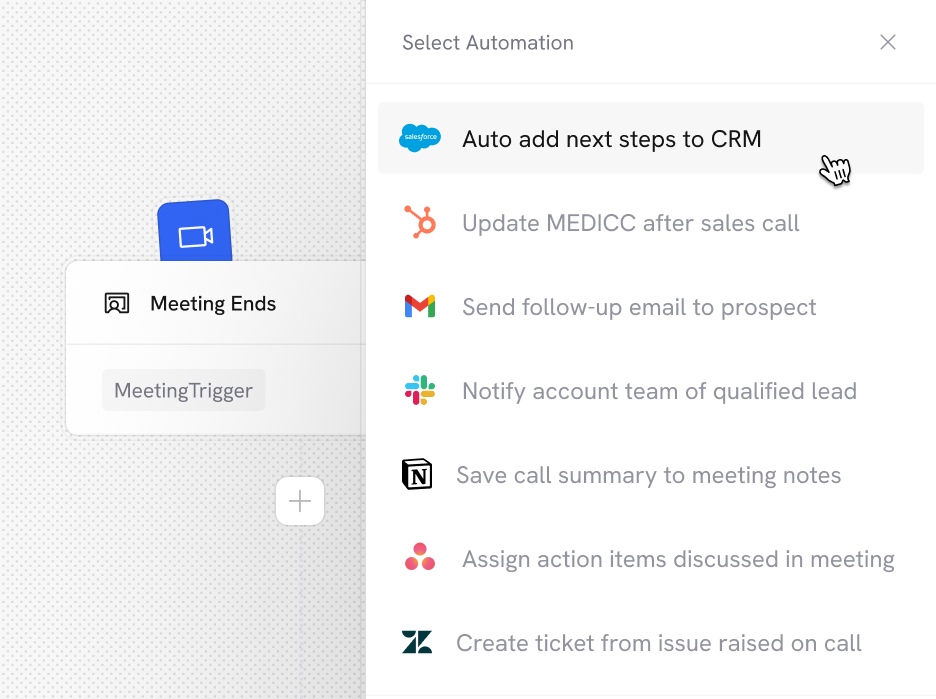
Every meeting can trigger a Workflow. Route action items to project management tools, update Salesforce with call notes, send personalized follow-ups, or notify Slack when a competitor is mentioned—all automatically.
Book Demo
Product visualization of how Cassidy allows users to setup powerful AI automations from Meetings

Turn talk into action
across every team

Thank you! Your submission has been received!
Oops! Something went wrong while submitting the form.
Automatically generate follow-ups for your sales calls
Sales
Auto create MEDDIC and
fill into your CRM
Sales
Write meeting minutes so that everyone can get caught up
Operations
Turn meetings with customers into case studies
Marketing
Qualify leads based on call conversation
Sales
Generate follow-up expansion opportunities for customers
Customer Support
Calculate Enterprise pricing for leads based on calls
Sales
Answer new support tickets with context of previous sales
Customer Support
Turn town halls or onboarding sessions into FAQ docs
Operations
Notify teams of competitors mentioned during calls
Marketing
Update support tickets based on calls outcomes
Customer Support
Identify pain points from calls to emphasize in marketing material
Marketing
Daily meeting prep with previous notes and action items
Operations
Ask questions about previous calls and invitees
Sales
Give feedback to sales team based on the quality of their call
Sales
Update Knowledge Base from topics discussed in meetings
Operations
Turn meetings into content for socials & blogs
Marketing
Create Executive Summaries of what’s happening for leadership
Operations
Add new POCs mentioned or added to the call
Sales
Turn customer feedback into engineering tickets
Customer Support
and much more ...

All you need from a Meeting Recorder and more

Additional ways to customize, control, and scale with
Cassidy’s Meeting Recorder
Calendar integration
Sync with Google Calendar or Outlook. Cassidy joins your calls on Zoom, Teams, or Google Meet.
Configurable auto-join
Set rules for which meetings Cassidy joins automatically—or add it manually to calls already in progress.
Speaker identification
Know exactly who said what—speaker labels applied automatically throughout the transcript.
Timestamped citations
When Agents reference meeting content, citations link to the exact moment in the recording.
Meeting Ended trigger
Kick off any Workflow the moment a call wraps up. Use meeting metadata, transcripts, summaries, and more.
Advanced sharing rules
Granular access controls for each meeting. Set automated sharing rules by title, owner, or participants.

Connects to the tools your team already uses

Pull context from anywhere. Take action everywhere.
Deploy where your team works.
Cassidy AI's branded visual graphic showing multiple logos of integrations that users can connect to when using Cassidy Meetings

Secure, governed, and ready for enterprise

We maintain compliance with the strictest international security and privacy standards
SOC 2 Type II
GDPR
CASA
HIPAA
No model training on your data
Your information stays private and is never
used for training
Single sign-on (SSO)
Connect your identity provider for secure,
centralized access
Advanced RBAC user permissions
Fine-grained control over access across
teams and roles
Advanced data security
Row-level security and granular access controls protect against unauthorized access
Choose your model
Select from leading models from OpenAI,
Anthropic, and Google
Organization-wide instructions
Set guardrails and rules that apply across every Agent and Workflow

Frequently asked questions

Find answers to common questions about Meetings, security, and getting started. Still have questions? Talk to our team!
What calendars and meeting platforms does Cassidy support?

Cassidy integrates with Google Calendar and Microsoft Outlook. Once connected, the Meeting Recorder can join calls on Zoom, Microsoft Teams, and Google Meet automatically or on demand.

How do I control which meetings Cassidy joins?

You can configure auto-join preferences during setup: all scheduled meetings, only meetings you host, meetings with external or internal participants, or only meetings you manually select. You can also toggle off specific meetings from the Upcoming tab or add Cassidy to calls already in progress.

What happens after a meeting is recorded?

Cassidy generates a full transcript with speaker identification, an AI summary with key discussion points and action items, and a recording you can play back. All content is searchable and can be shared with your team.

How do I interact with meeting content?

You can open any meeting directly in Chat to ask questions about that specific call. You can also use the "#" feature to tag a meeting in any conversation. Agents connected to your Knowledge Base can search across your entire meeting library and cite the exact timestamp when referencing information.

Can I use meeting content in Workflows?

Yes. Use the "Meeting Ended" trigger to kick off Workflows automatically when a call wraps up. Workflows can access meeting metadata, transcripts, summaries, and participant information to automate follow-ups, CRM updates, notifications, and more.

How do I control who can access my meetings?

Each meeting can be set to Restricted (only specific people or groups), Team (anyone in your organization), or Public (anyone with the link). You can also create sharing rules to automatically grant access based on meeting title, owner, participants, or invitees.

Is meeting content added to my Knowledge Base?

You can set up syncs to automatically import recordings, transcripts, and summaries into your Knowledge Base. Once imported, meetings become searchable across your organization. Agents can reference meeting content just like any other document—with citations that link directly to the relevant moment in the recording.

What if multiple people on my team join the same meeting?

If multiple users have Cassidy join the same meeting with the same bot display name, it only appears as one participant—but everyone's recording is captured. Each user will have access to the meeting content based on their permissions.

Is my meeting data used to train AI models?

No. Your meeting recordings, transcripts, and summaries are never used to train AI models. Data is used solely to power your Agents and Workflows, and is encrypted in transit and at rest.

Move from idea to production with Cassidy