AI Equipment Documentation Mobile Search Agent
Automating Equipment Documentation Mobile Search with AI
Answers grounded in your approved documentation
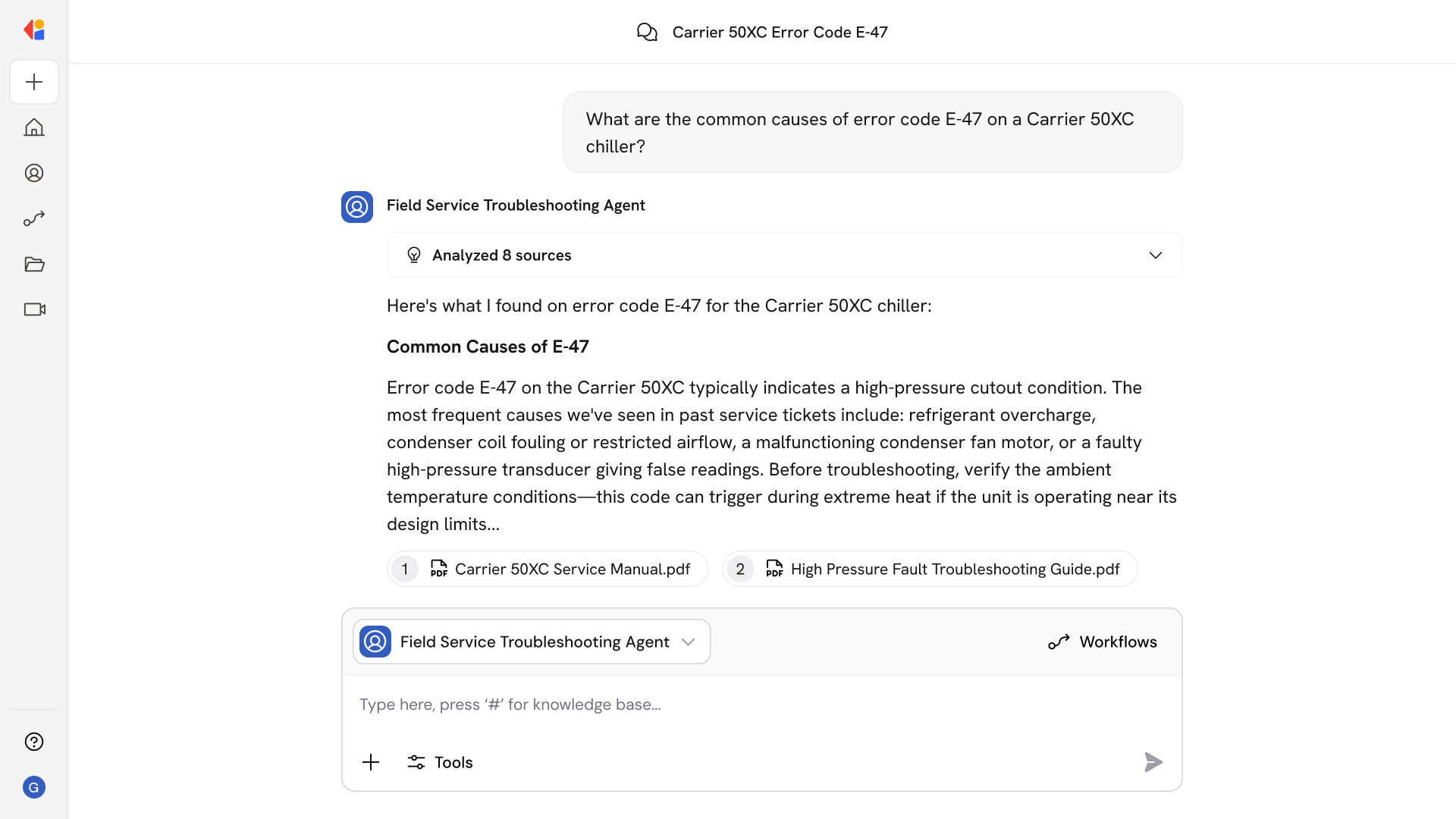
The Agent retrieves procedures, torque specs, and wiring diagrams directly from OEM manuals and SOPs—with citations to the exact page and section, so technicians trust what they see.
Works offline, on-site, hands-free
Voice queries, QR/NFC scanning, and pre-cached document bundles let technicians search and follow procedures in connectivity-dead zones and hands-busy environments.
Context-aware retrieval filtered by asset and work order
Queries automatically narrow to the specific equipment model, serial range, and site-modified procedures—eliminating irrelevant results and version mismatches.
How Cassidy automates using AI
Step 1: Ingest and index equipment documentation
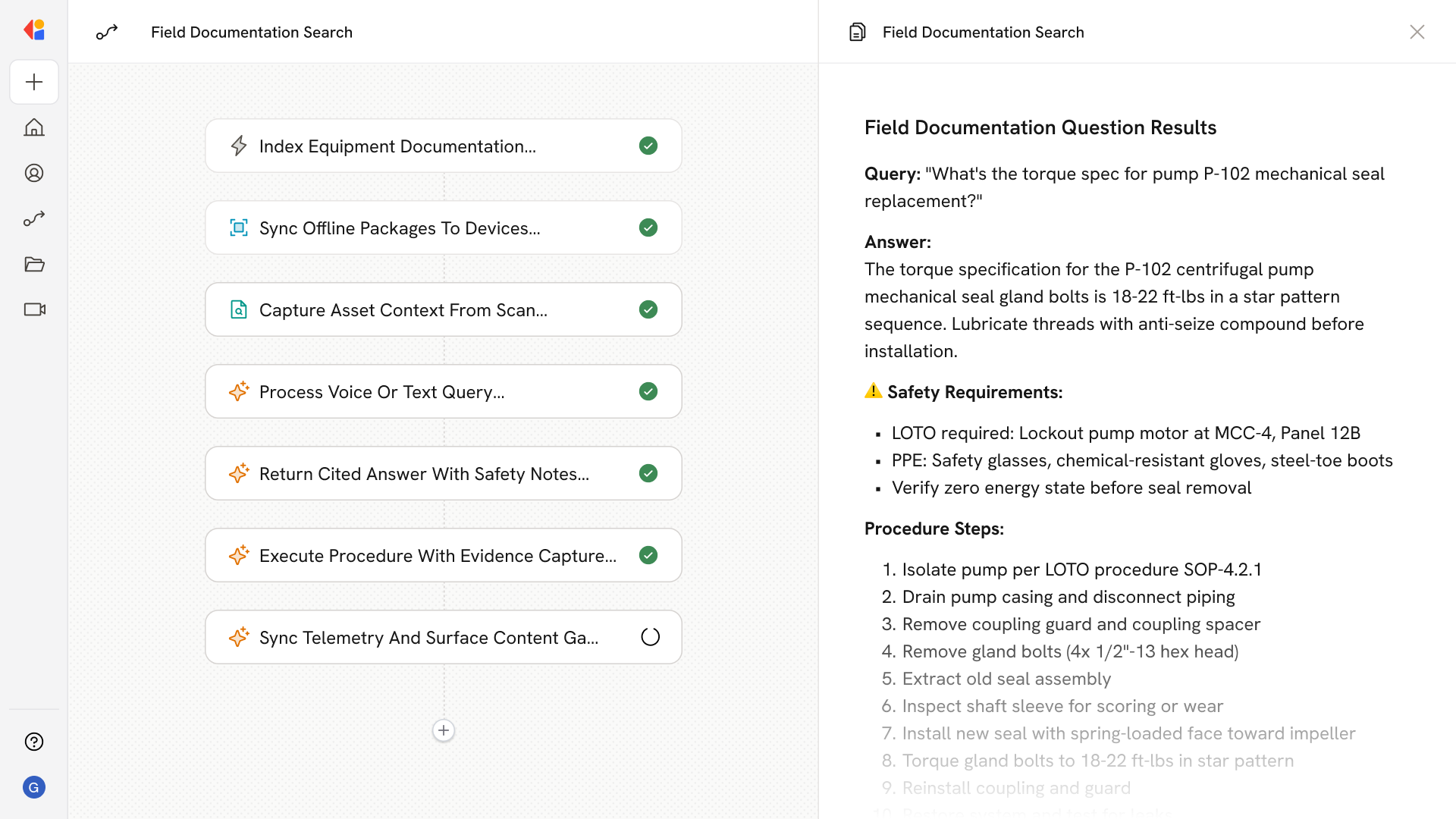
Cassidy connects to your OEM manuals, SOPs, wiring diagrams, parts catalogs, and service bulletins. Documents are OCR'd, structured by section and page, tagged with asset class and model metadata, and indexed in the Knowledge Base for hybrid retrieval.
Step 2: Sync offline packages to mobile devices
Site-specific document bundles and search indices are packaged and pushed to technician devices. Delta syncs keep content current while respecting bandwidth and storage limits—ensuring full offline access.
Step 3: Capture context from scan or work order
When a technician scans an asset's QR code, barcode, or NFC tag—or opens a work order—Cassidy automatically filters search results to that equipment's model, revision, and site-specific procedures.
Step 4: Process voice or text query
The technician asks a question by voice or text (“What’s the torque spec for pump P-102 seal?”). Cassidy performs hybrid retrieval across the Knowledge Base, ranking passages by relevance and returning cited snippets with manual title, section, and page number.
Step 5: Return grounded answer with citation
Cassidy surfaces the exact procedure, spec, or diagram—highlighting safety notes like LOTO and PPE requirements. Every answer links to the source document and page, so technicians can verify and dive deeper.
Step 6: Support procedure execution and evidence capture
Technicians follow step-by-step procedures with checkable steps, embedded images, and quick-jump to parts lists. They can capture photos and notes that auto-attach to the work order for compliance documentation.
Step 7: Sync telemetry and surface content gaps
When connectivity returns, Cassidy uploads captured evidence and logs search telemetry. Analytics reveal search success rates, time-to-answer, and content gaps—feeding insights back to documentation owners for continuous improvement.
Implement it inside your company
- Hands-on onboarding and support
- Self-paced training for your team
- Dedicated implementation experts
- Ongoing use case discovery
- ROI tracking & analytics dashboards
- Proven playbooks to get started fast