AI Construction Document Triage Agent
Automating Construction Document Triage with AI
Intelligent Document Classification and Metadata Extraction
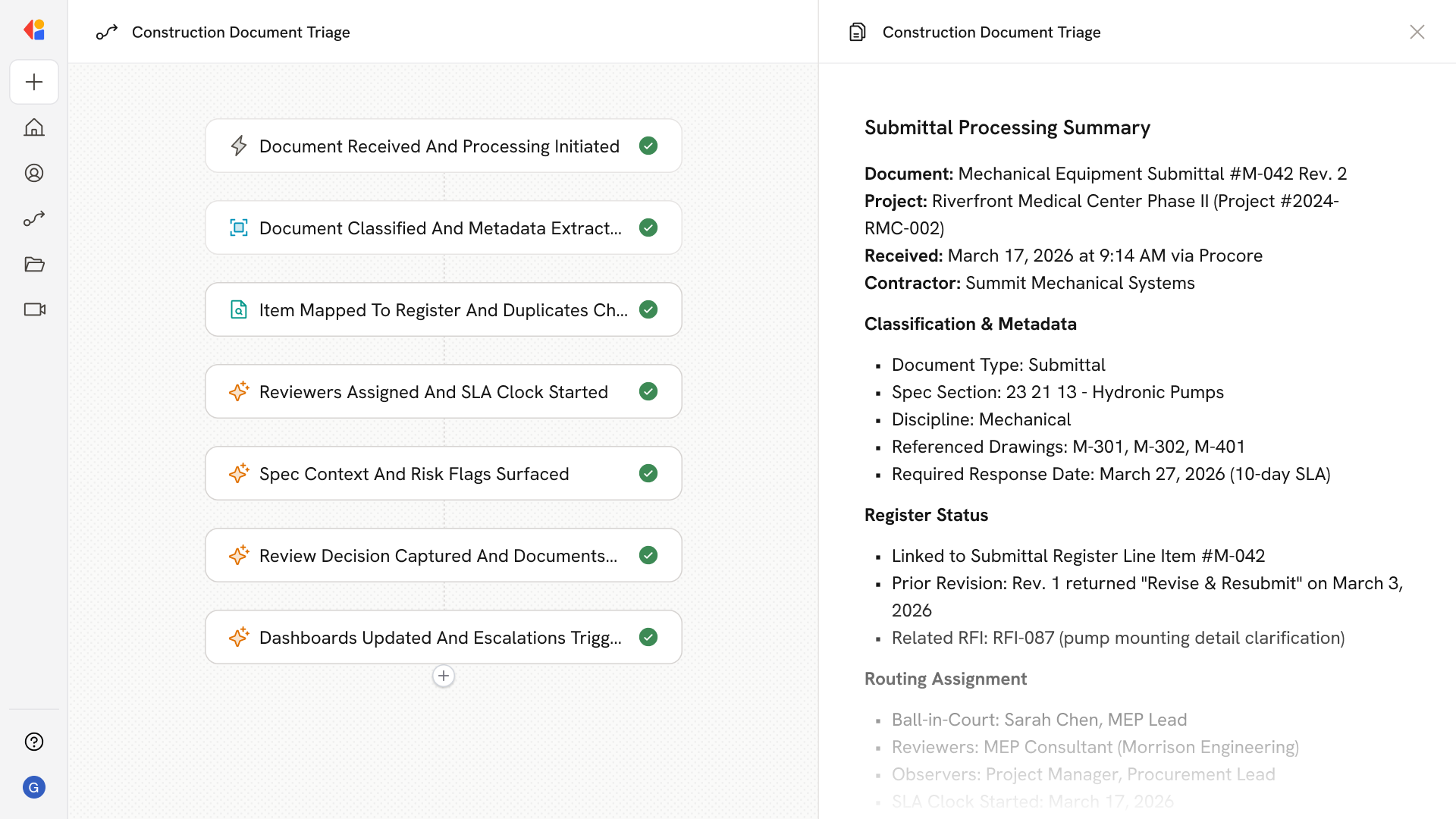
The agent automatically identifies document types—submittals, RFIs, ASIs, CCDs—and extracts critical metadata including spec sections, disciplines, contractors, and due dates, eliminating manual data entry and reducing misclassification errors.
Automated Routing with Ball-in-Court Tracking
AI-driven workflows apply project-specific routing templates, assign ball-in-court ownership, start SLA clocks, and send notifications to required reviewers—keeping every item moving through sequential or parallel review paths without bottlenecks.
Program-Level Visibility and Governance
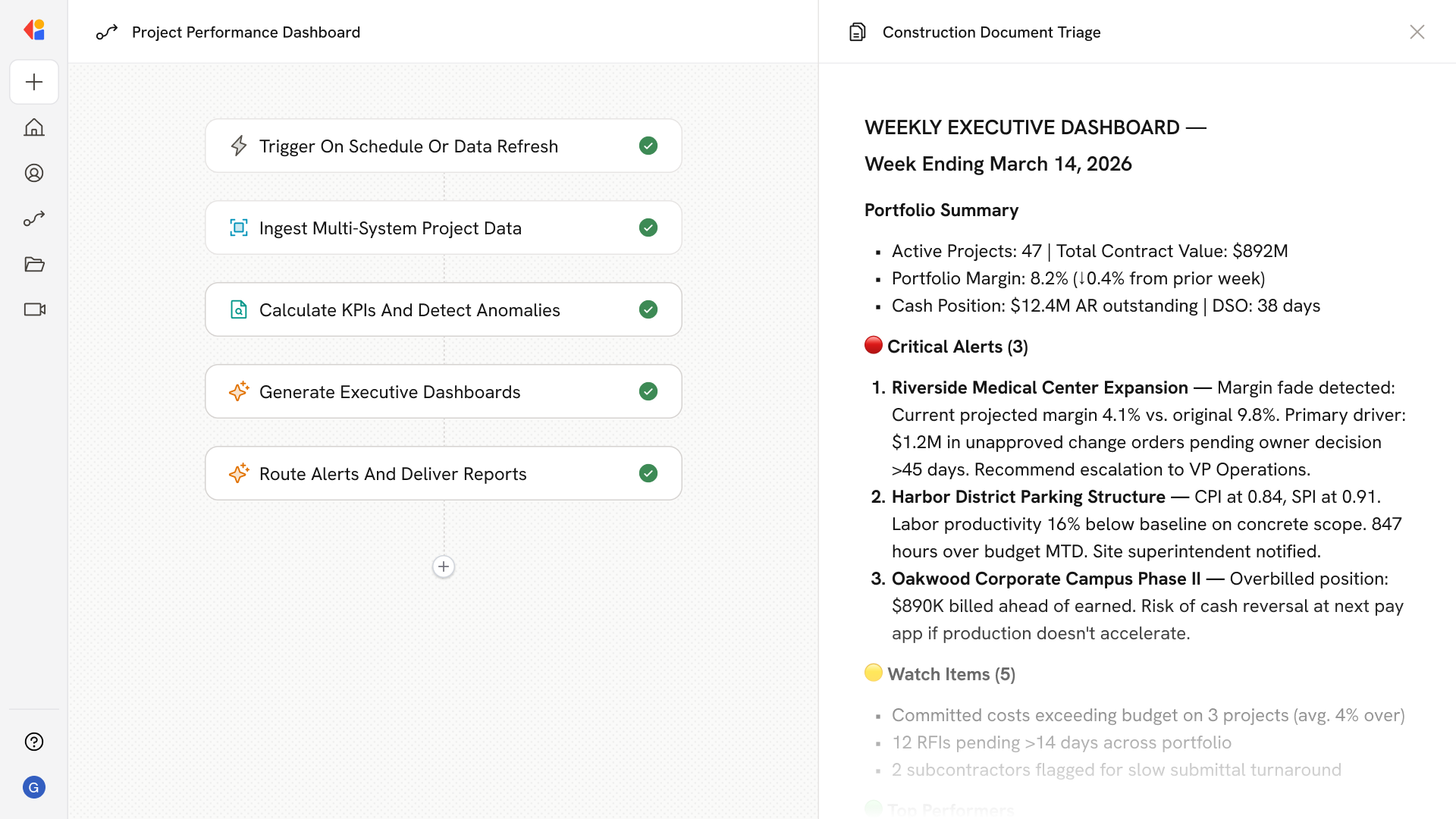
Real-time dashboards surface aging RFIs, overdue submittals, and SLA compliance across your entire portfolio, while standardized workflows and immutable audit trails ensure Division 01 compliance and consistent governance across all projects.
How Cassidy automates using AI
Step 1: Trigger on document intake
The Workflow activates when a new document arrives—whether from a project email inbox, Procore, Autodesk Build, SharePoint, or direct upload—and immediately begins processing the incoming submittal package, RFI form, or CA communication.
Step 2: Classify and extract metadata
Cassidy's AI parses the document using OCR, identifies the document type (submittal, RFI, ASI, transmittal), and extracts key metadata: project number, spec section, discipline, contractor, revision number, referenced drawings, and required response dates.
Step 3: Map to registers and detect duplicates
The Workflow maps the item to your submittal register or RFI log, checks for duplicate submissions or superseded revisions, and links to prior correspondence and related documents to maintain full traceability.
Step 4: Apply routing and set ball-in-court
Cassidy applies your project-specific routing template, assigns the ball-in-court owner, starts the SLA clock (e.g., 10 days for submittals, 7 days for RFIs), and notifies required reviewers while copying observers per discipline.
Step 5: Support review with spec context
The Workflow surfaces relevant spec excerpts, highlights variances or missing attachments, links to related RFIs and prior submittal revisions, and flags risk indicators like long-lead items or potential change conditions.
Step 6: Capture decisions and distribute
Reviewers select action codes (Approved, Approved as Noted, Revise & Resubmit), and Cassidy burns stamps into PDFs, packages reviewer markups, updates logs, and distributes approved documents to field and procurement teams—or routes rejections back to the submitter.
Step 7: Generate dashboards and escalations
Cassidy maintains real-time dashboards showing aging items, SLA compliance, and reviewer workloads across your portfolio, automatically triggering reminders and escalations while generating weekly CA meeting packets with overdue and upcoming items.
Implement it inside your company
- Hands-on onboarding and support
- Self-paced training for your team
- Dedicated implementation experts
- Ongoing use case discovery
- ROI tracking & analytics dashboards
- Proven playbooks to get started fast