What does this mean?
Streamlines meeting coordination and task management, reducing scheduling conflicts and optimizing time allocation across teams.
How it works?
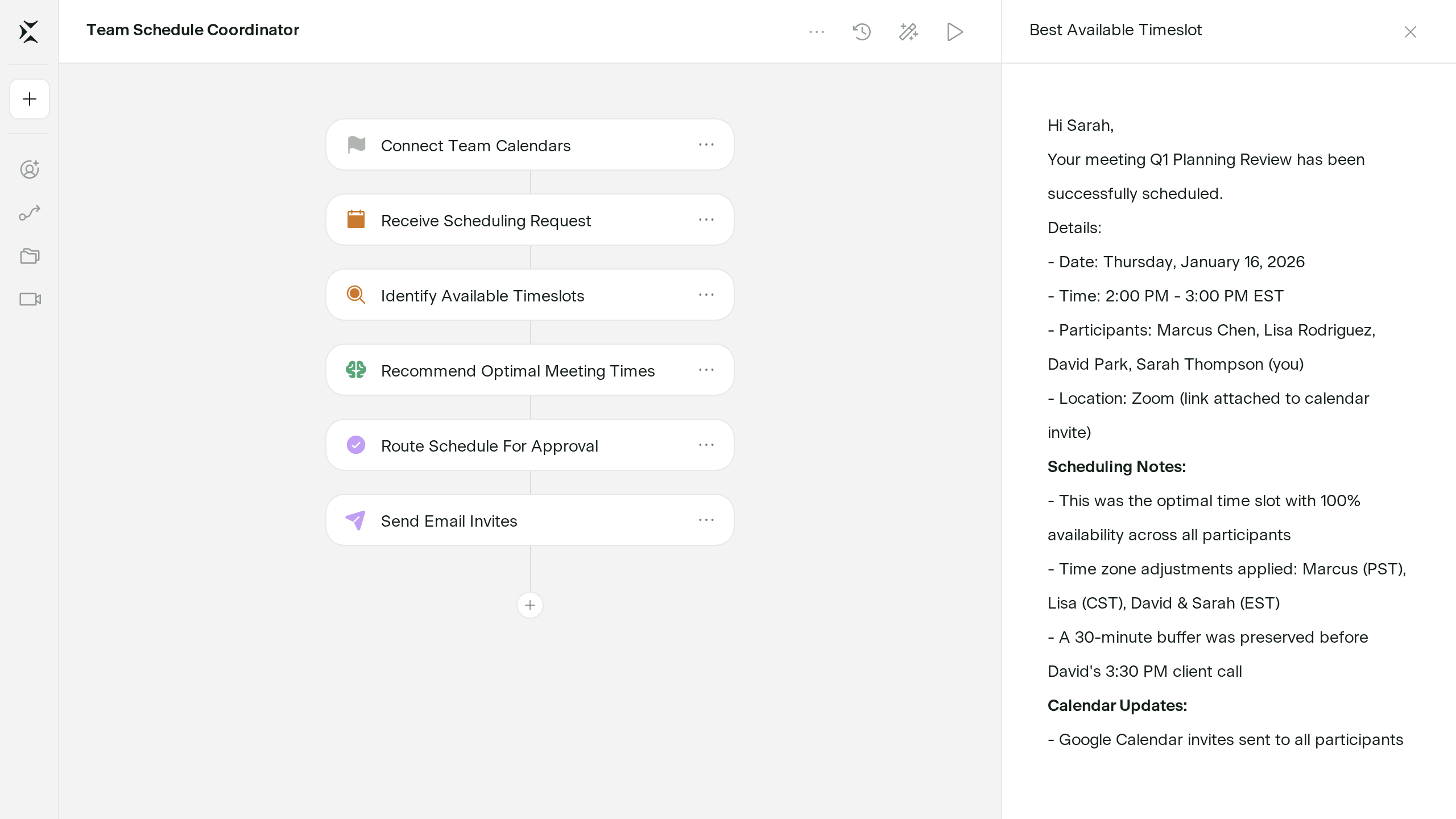
Integrates with calendar systems to analyze free/busy status and automatically schedule meetings or allocate time blocks for tasks based on availability.
Workflow steps
Step 1: Connect calendar systems
The Workflow integrates with your team's calendar platforms—Google Calendar, Microsoft Outlook, or other scheduling tools—to access real-time free/busy status across the organization.
Step 2: Trigger on scheduling request
When a meeting request comes in or a task needs time allocation, the Workflow activates automatically via a number of triggers such as a Slack message, or Microsoft Outlook Calendar trigger.
Step 3: Analyze team availability
Cassidy scans connected calendars to identify open time slots, checking each participant's availability and flagging potential conflicts before they happen.
Step 4: Generate optimal meeting times
The Workflow recommends the best meeting windows based on participant availability, time zone considerations, and scheduling preferences.
Step 5: Allocate time blocks for tasks
For task management, the Workflow automatically carves out focused work blocks on team members' calendars, protecting time for deep work and balancing meeting load.
Step 6: Route for human review
Proposed schedules are sent to the organizer or team lead via the Request Input from Team action, allowing quick approval or adjustments before finalizing.
Step 7: Confirm and update calendars
Once approved, the Workflow sends calendar invites, updates all connected systems, and notifies participants—keeping everyone aligned without manual back-andth.
Implement this automation inside your company
- Hands-on onboarding and support
- Self-paced training for your team
- Dedicated implementation experts
- Ongoing use case discovery
- ROI tracking & analytics dashboards
- Proven playbooks to get started fast