Read more insights
April 2026 Product Update

Hey Cassidy community,
Here's everything that's new this month.
Happy reading 💙
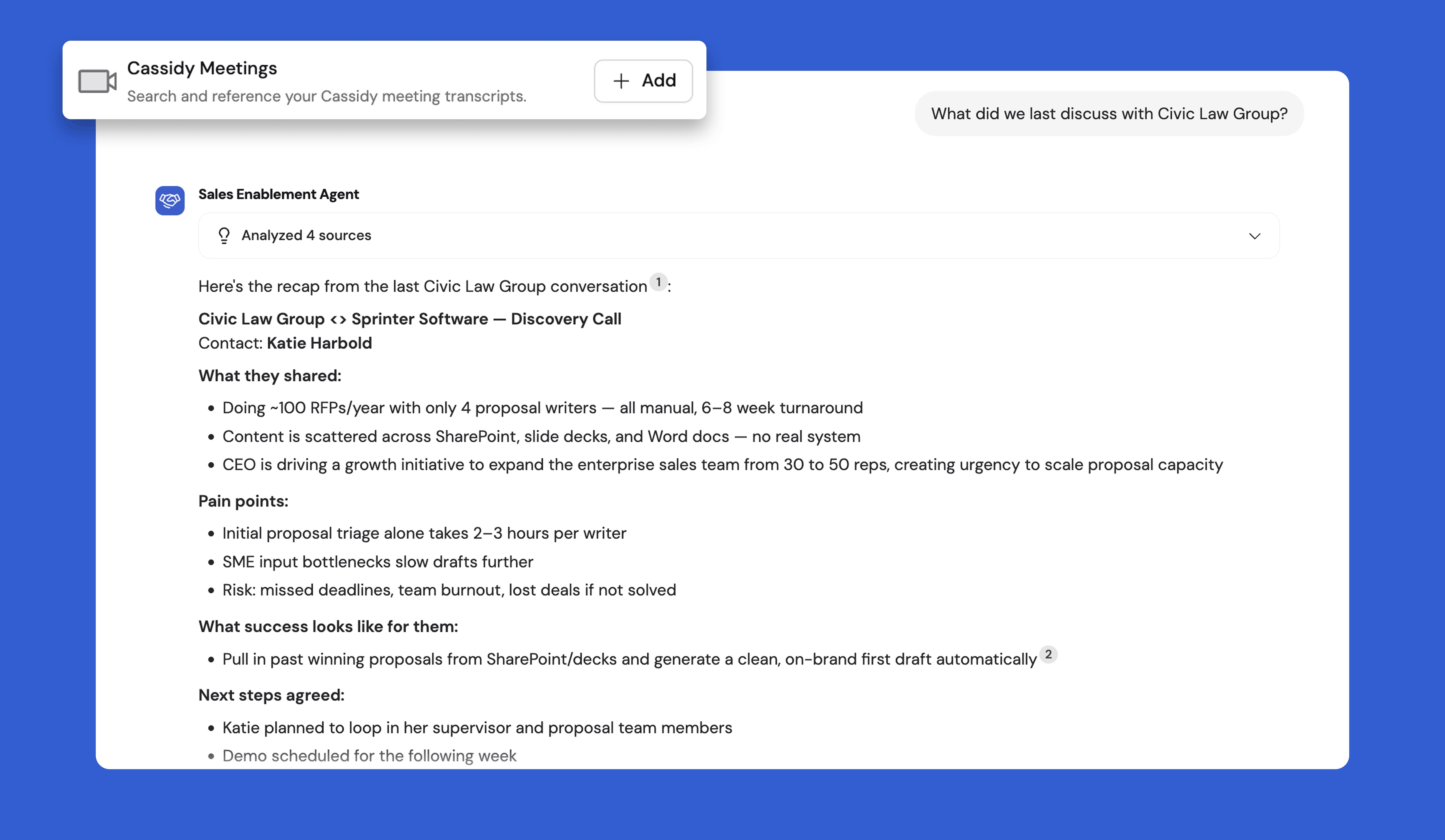
⭐ Spotlight: New Agent Connector — Meetings
Agents can now search across your meeting library through the new Meetings Connector. Ask questions across your transcripts, with cited, timestamped answers pulled straight from your recordings.
Go from meeting to insight in seconds, whether you're hunting down a decision from last week's planning call or tracking the latest action on a deal.
Read the help article to set up this connector today.
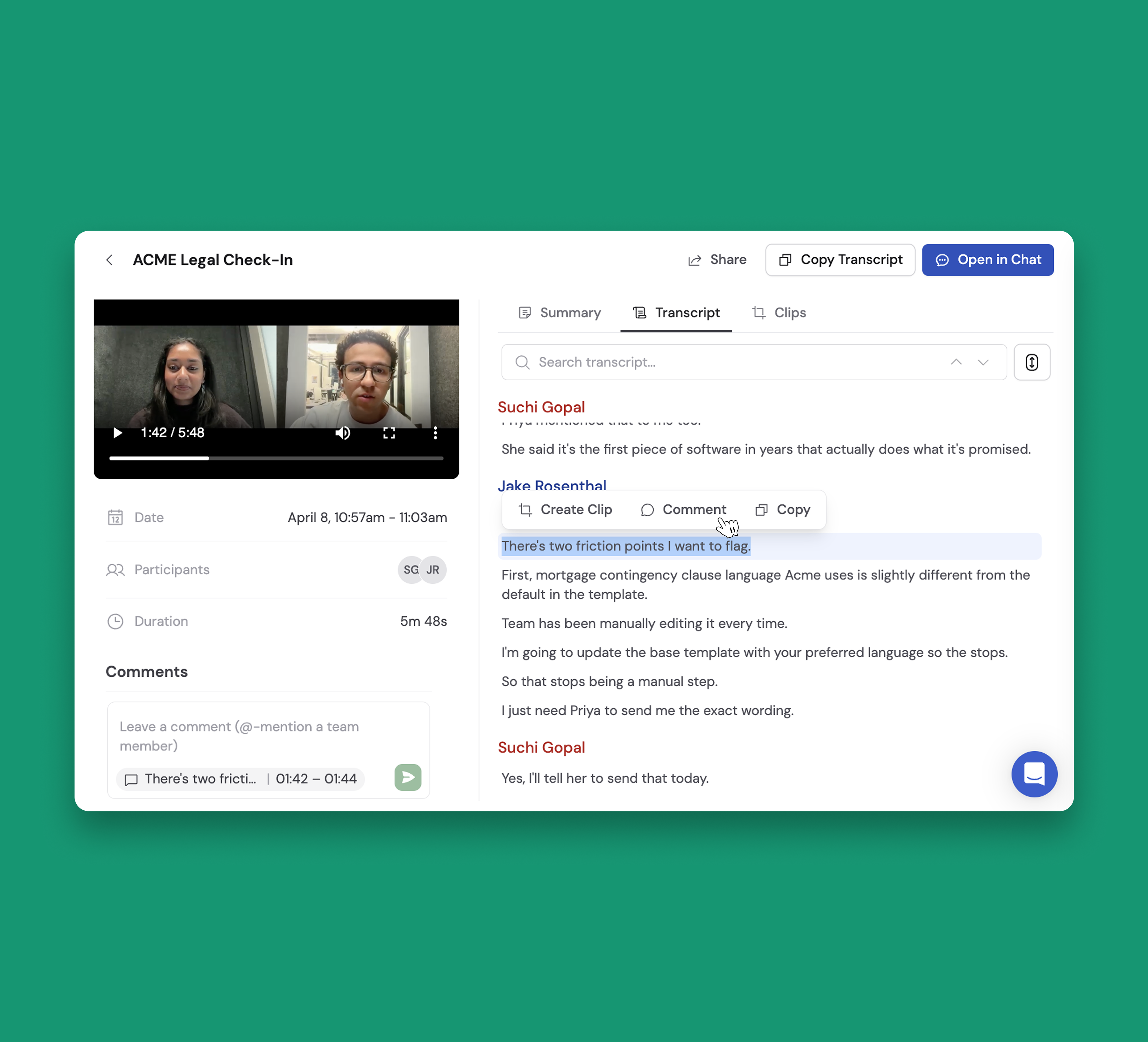
💬 Comments & Mentions in Meeting Recordings
Meeting Comments bring collaboration directly into your meetings and meeting clips. Select any text from the transcript to leave a comment, and it'll be highlighted for easy reference — click it anytime to jump right back to that moment 🎯
@mention teammates to notify them via email, and once mentioned, they'll automatically receive notifications whenever someone new joins the conversation.
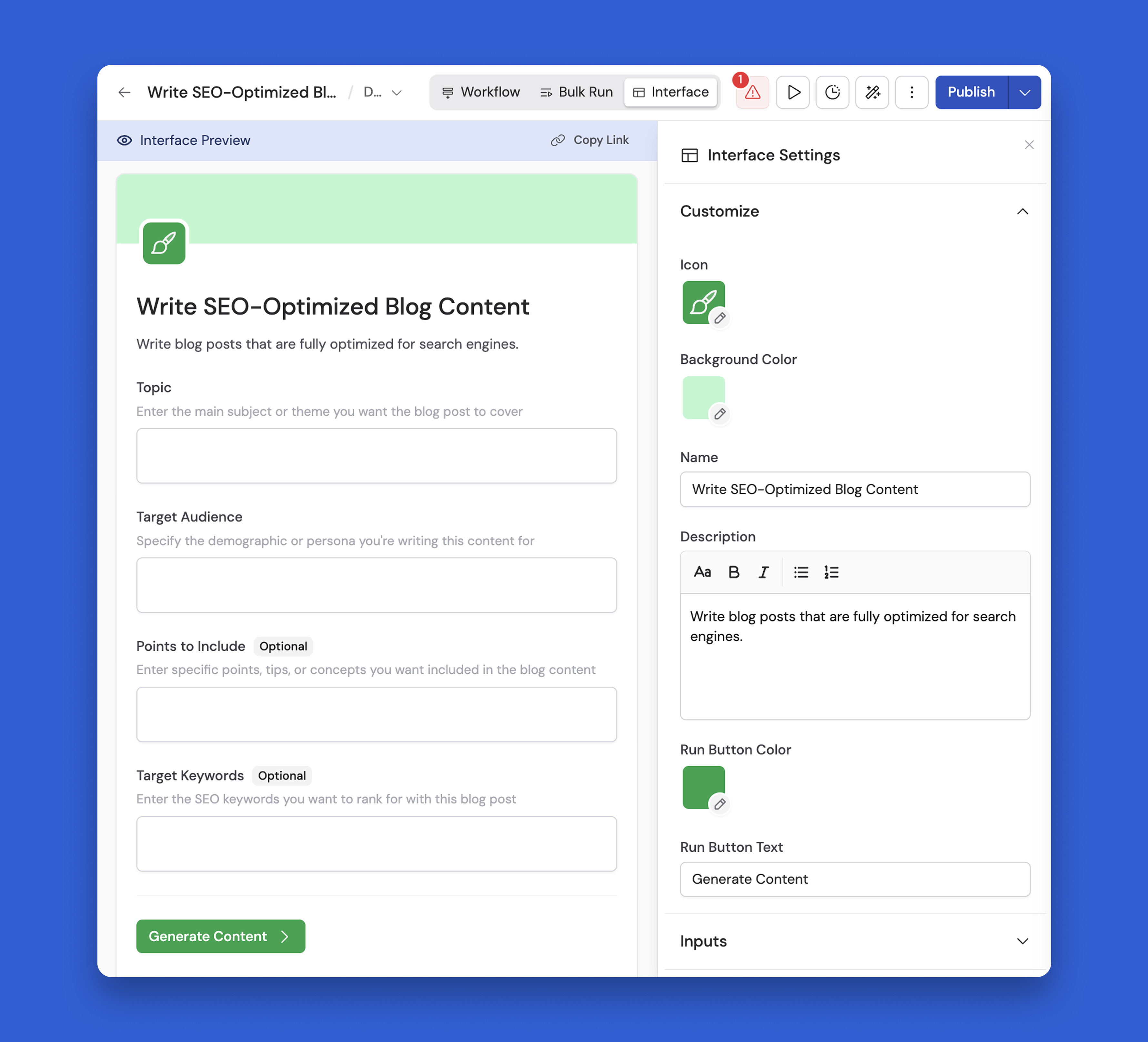
✨ Custom Interfaces in Workflows
The new Interface tab makes it easier for your team to customize, run, and understand your Workflows.
Here's what's new:
Rich Text Descriptions — Add formatted, scannable descriptions to your Workflow's run view. Perfect for guiding teammates through complex Workflows with clear, readable instructions.
Custom Appearance — Personalize your Workflow with a custom icon, background color, button text, and button color. Make it feel on-brand and intuitive for whoever is running it.
Configurable Outputs — Choose exactly which values appear after a successful Workflow run. Surface only the most valuable results and cut through the noise of intermediate steps.
Simplified Run View — A clean, standalone run page makes it easier to share Workflows with teammates, whether they're running them for the first time or reviewing results together.
Read this help article to start customizing your Workflow Interface today.
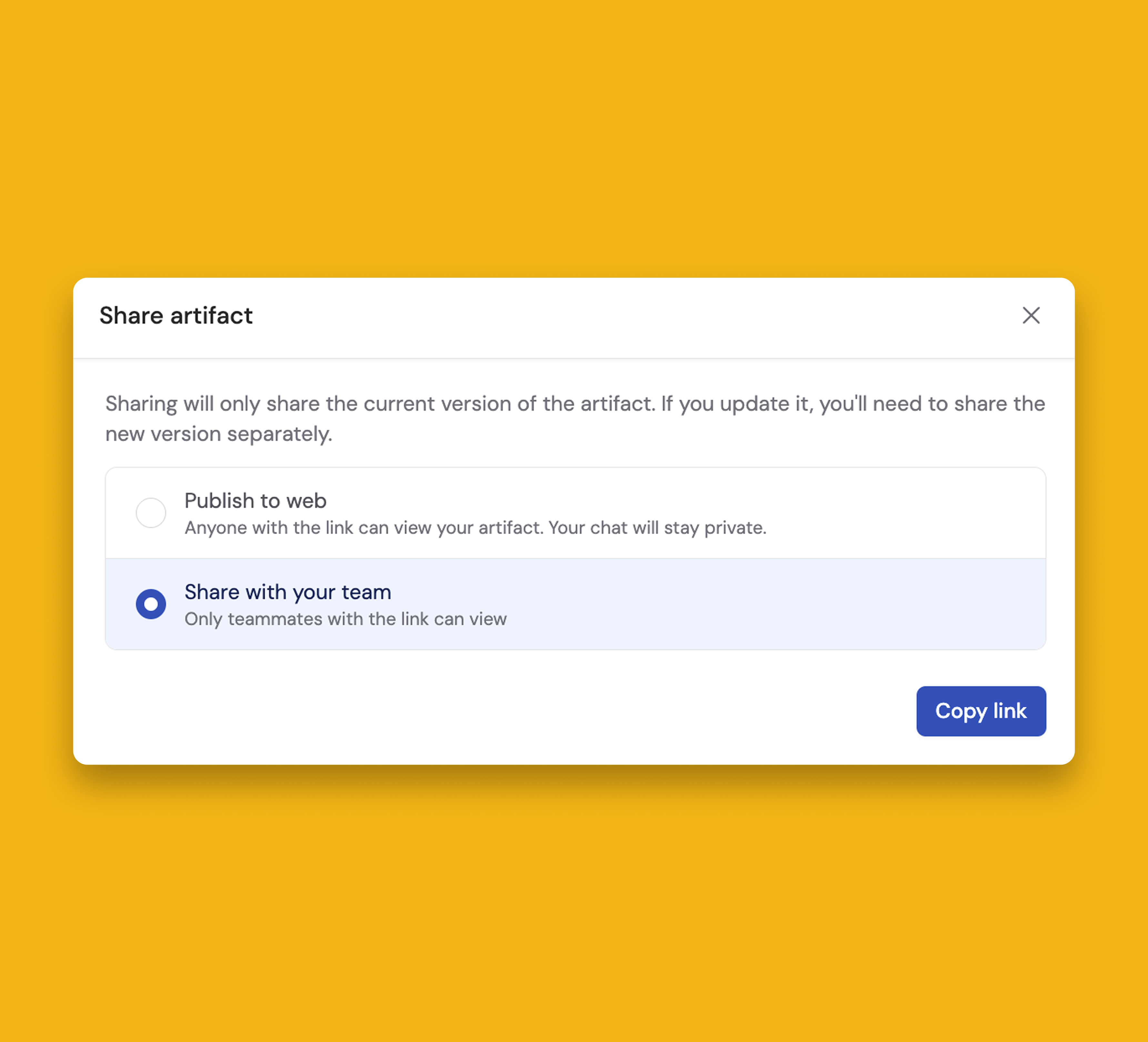
🔗 Share Artifacts via Link
Get your dashboards and reports to the right people faster with two new Artifact sharing options.
Choose "Publish to web" to generate a public link that anyone can view without a Cassidy login, or choose "Share with your team" to limit access to teammates only.
📁 Organize Agent Chats with Folders
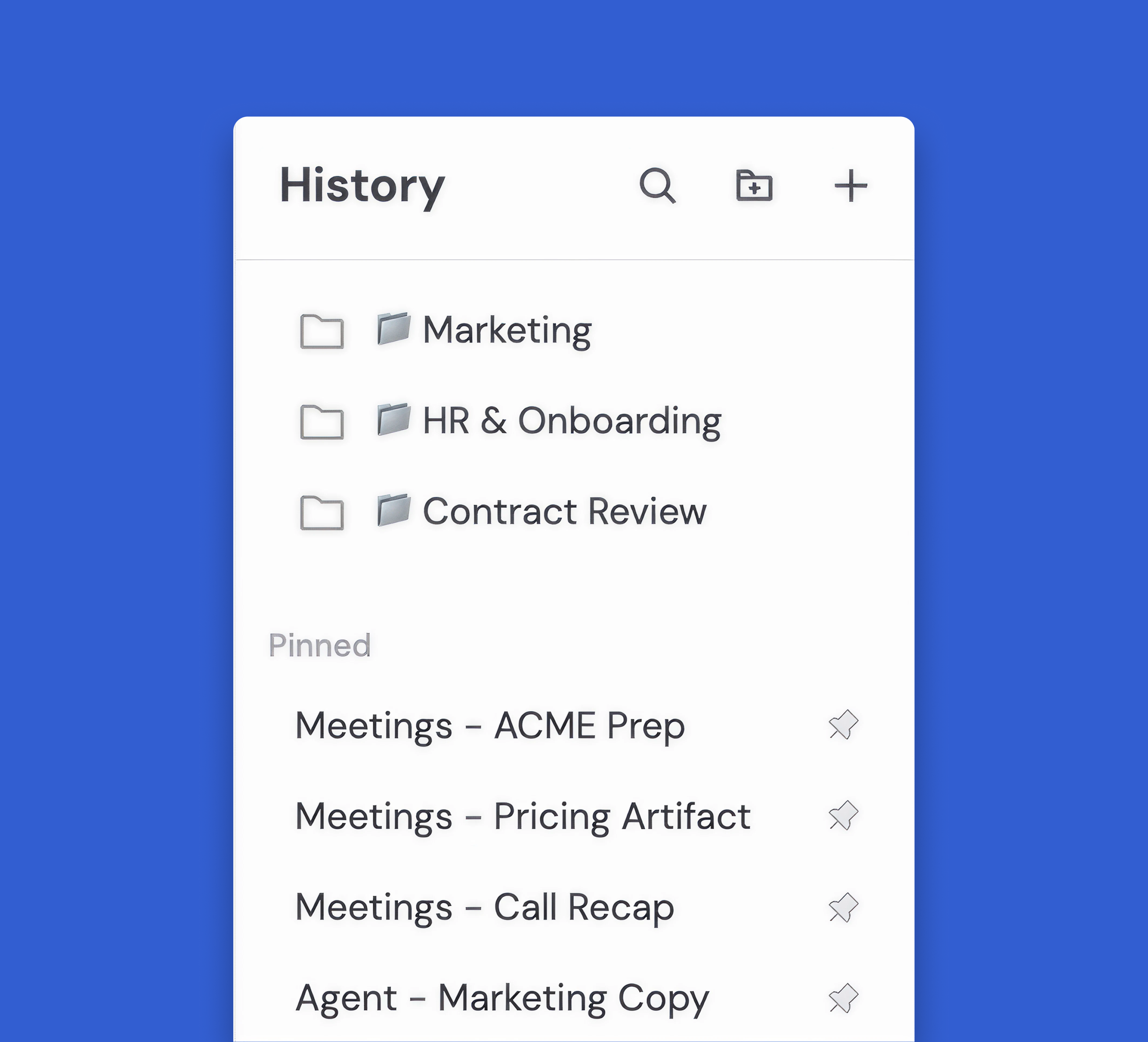
Your past Agent conversations can now be grouped into folders, keeping your chat history structured and easy to navigate. Create folders, drop in your most relevant chats, and get back to what matters faster — no more scrolling through a long list to track down a specific conversation.
New Models
- GPT-5.5
- Opus 4.7
- ChatGPT Images 2.0
Build AI Agents that operate like your team
Cassidy Inc. © 2026
